
FPS & VRAM Optimization
Accurate DirectX frame timing, pybind11 C++ bindings, and CUDA/TensorRT timing integration for high-performance HUD overlay.
🎯 Accurate FPS Counter & Hardware Telemetry (DirectX, C++, CUDA/TensorRT)
Objective
Build a hybrid FPS counter system for a gaming application with a Python backend. Ensure accurate frame timing via DirectX (C++), expose results to Python via pybind11, and integrate CUDA/TensorRT timing separately. Package the solution as a DLL, compiled with MSVC, and distribute with the Microsoft Visual C++ Redistributable.
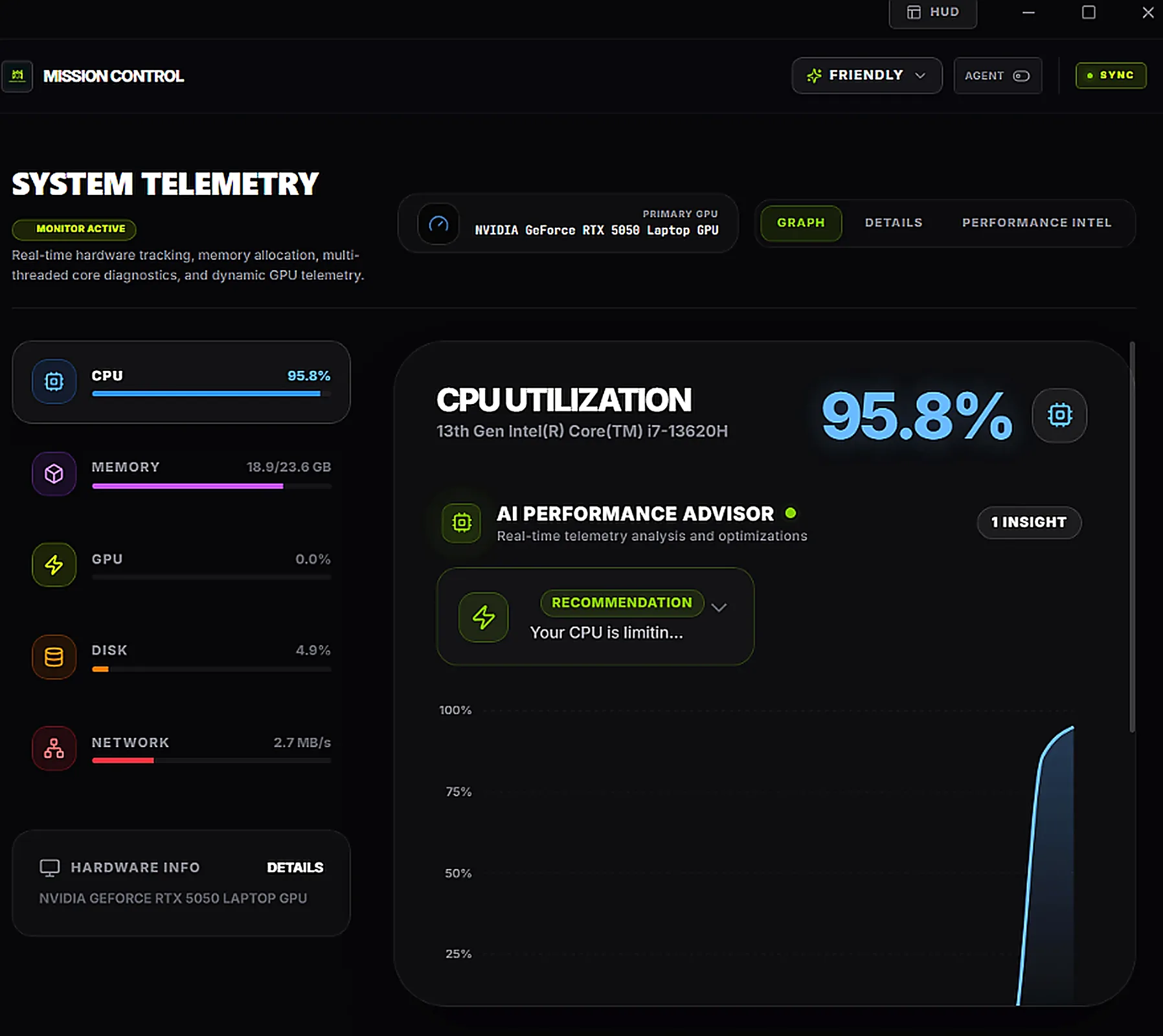
📸 Real-Time Telemetry & HUD Overlay
| 📟 Glassmorphic HUD Overlay | 📊 Real-Time Hardware Telemetry |
|---|---|
 |  |
1. Core FPS Measurement (C++ / DirectX)
Hook into swapchain->Present() in DirectX 11/12.
- Use
QueryPerformanceCounterfor high‑precision timestamps. - Maintain a rolling buffer of frame times (e.g., 128 frames).
- Compute FPS as
1 / average_frame_time.
C++// fps_counter.cpp #include <windows.h> static double frameTimes[128]; static int frameIndex = 0; static double lastTime = 0.0; static double fps = 0.0; double GetTimeSeconds() { LARGE_INTEGER freq, counter; QueryPerformanceFrequency(&freq); QueryPerformanceCounter(&counter); return (double)counter.QuadPart / (double)freq.QuadPart; } extern "C" __declspec(dllexport) void UpdateFPSCounter() { double currentTime = GetTimeSeconds(); double delta = currentTime - lastTime; lastTime = currentTime; frameTimes[frameIndex % 128] = delta; frameIndex++; int count = min(frameIndex, 128); double sum = 0.0; for (int i = 0; i < count; i++) sum += frameTimes[i]; fps = 1.0 / (sum / count); } extern "C" __declspec(dllexport) double GetFPS() { return fps; }
2. Python Binding (pybind11)
Create a binding module with pybind11:
C++// pybind_fps.cpp #include <pybind11/pybind11.h> extern double GetFPS(); extern void UpdateFPSCounter(); namespace py = pybind11; PYBIND11_MODULE(fps_counter, m) { m.def("get_fps", &GetFPS, "Retrieve current FPS"); m.def("update_fps", &UpdateFPSCounter, "Update FPS counter (call after Present)"); }
3. Compilation (MSVC on Windows 11)
Requirements:
- Microsoft Visual Studio 2022 (with MSVC toolset).
- pybind11 installed (
pip install pybind11). - Python development headers (ensure Python is installed with dev tools).
Compile commands (Developer Command Prompt):
Bash / Terminalcl /LD fps_counter.cpp pybind_fps.cpp /I"path\to\pybind11\include" /I"path\to\Python\include" /link /OUT:fps_counter.pyd /LIBPATH:"path\to\Python\libs"
Output: fps_counter.pyd (Python extension DLL).
4. DLL Linking & Redistributable
The compiled DLL depends on Microsoft Visual C++ Redistributable (matching your MSVC version).
- Ensure users install the x64 VC++ Redistributable for Visual Studio 2022.
- Without it, Python will throw
ImportError: DLL load failed.
5. Python HUD Integration
Pythonimport fps_counter def hud_loop(): while True: fps_counter.update_fps() # call after Present fps = fps_counter.get_fps() print(f"FPS: {fps:.2f}")
6. CUDA/TensorRT Timing (Optional)
Use CUDA events for kernel timing:
C++cudaEvent_t start, stop; cudaEventCreate(&start); cudaEventCreate(&stop); cudaEventRecord(start, stream); // launch kernel cudaEventRecord(stop, stream); cudaEventSynchronize(stop); float ms = 0.0f; cudaEventElapsedTime(&ms, start, stop);
Expose these timings separately to Python for ML workload profiling.
🔒 Deliverables & Verification
fps_counter.pyd(Python extension DLL).- Redistributable installer (VC++ 2022 x64).
- Complete documentation for compilation, Python usage, and CUDA/TensorRT timing integration.
With this setup, your HUD will show true FPS measured at DirectX Present, while Python displays the value directly on your screen.